
THE AUXXION AUTHENTICATOR
Sign-in codes that stay on your phone
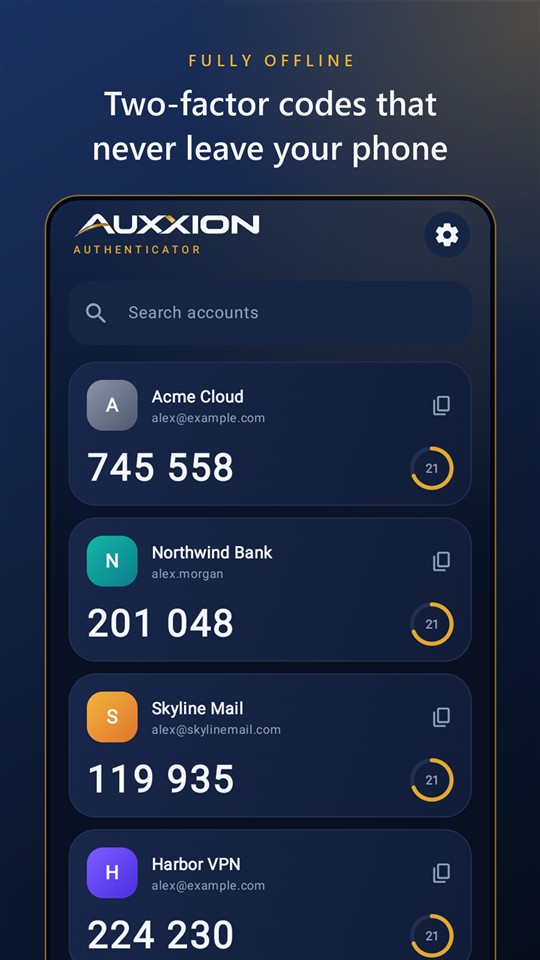
AUXAUTH is the Auxxion authenticator for Android. Scan a QR code or type a setup key and get your sign-in codes, with no account, no cloud and no internet permission.
Coming soon to Google Play. Android 8.0 and later.
Built to keep your accounts yours
Everything happens on your phone. There is nothing to sign up for and nothing for us to see.
No internet permission
The app cannot connect to a network, so it has no way to send your accounts anywhere.
Scan or type
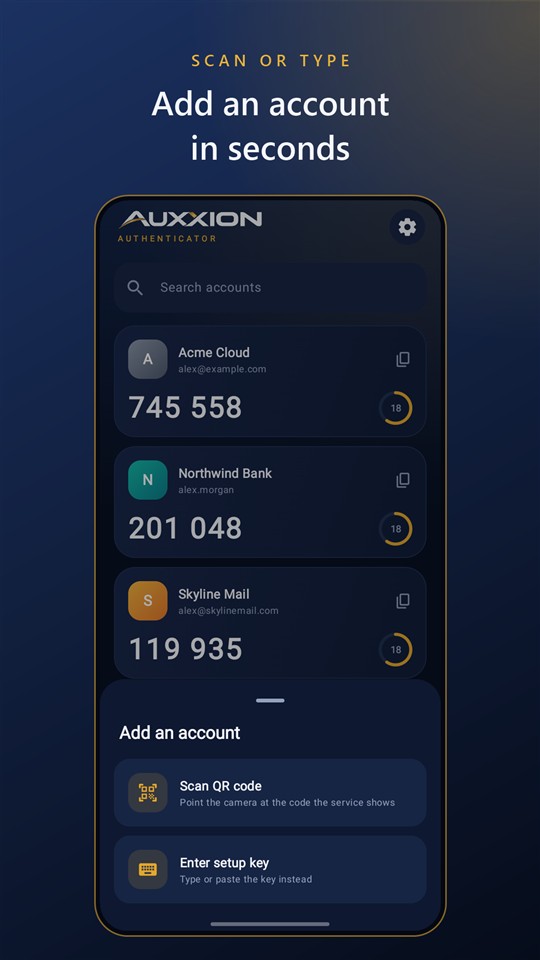
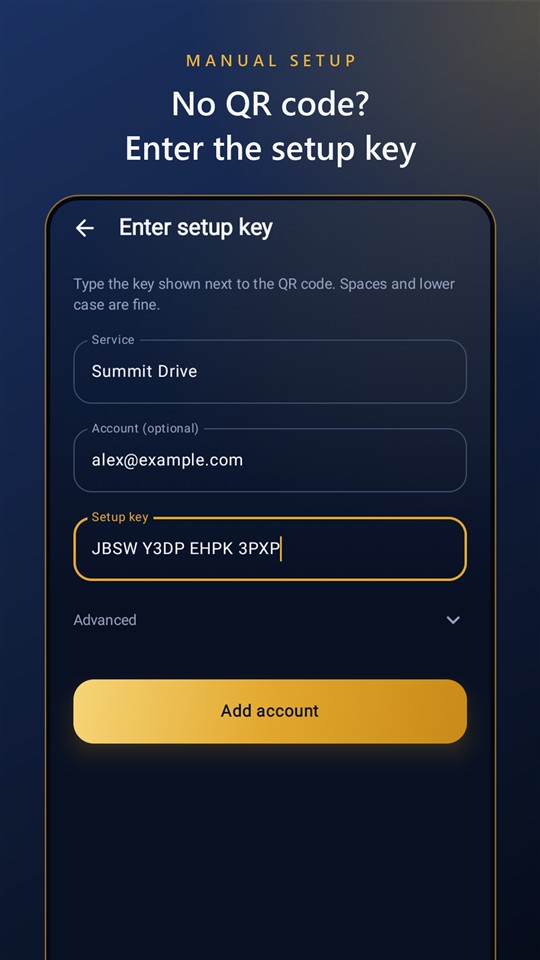
Add an account by scanning the QR code a service shows you, or by entering its setup key.
Encrypted on device
Accounts are encrypted with a key held in the Android Keystore and are left out of backups.
App lock
Optionally ask for your fingerprint, face or screen lock each time the app opens.
Private on screen
Hide codes until you tap, and keep them out of screenshots and screen recordings.
Clear, quick codes
Large digits with a countdown ring. Tap a code to copy it, search to find an account fast.
A closer look
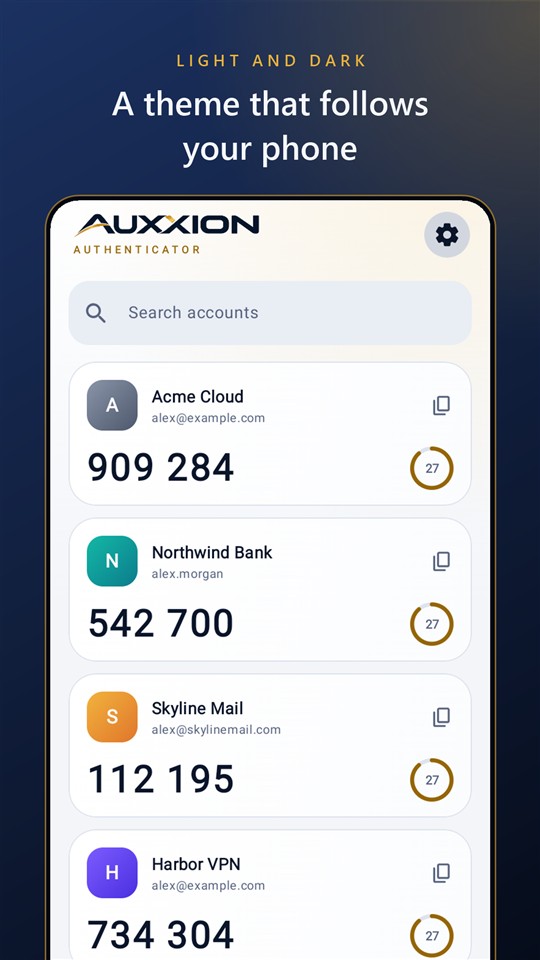
Dark and light themes follow your phone's setting.
Set up in three steps
It takes about a minute per account.
Turn on two-factor sign-in
In the security settings of the service you want to protect, choose "authenticator app".
Scan the QR code
Open AUXAUTH, tap Add account and point the camera at the code, or type the setup key instead.
Enter the code
Type the six-digit code AUXAUTH shows back into the service to finish. Save the backup codes it gives you.